Using Notebooks
Throughout this site, you’ll see code presented as blocks like so:
echo "this is an example" > file.txtBut this site also has the benefit of interspersing code blocks with all the prose and explanations that you’ve been reading thus far. It’s the combination of code blocks, their results, and markdown-formatted text that make data exploration and analyses bulletproof. Historically, people would have tracked their work as aggressively-commented code, e.g.,:
# make the destination folder
mkdir -p ~/.local/bin

# make sure the file is executable
chmod +x ./estimateHET

# copy the script into the folder
cp ./estimateHET ~/.local/bin
But, modern practice is to use a notebook so that there is prose/explanation, and code, and it’s output, all in one place. Here is an example of two notebook cells/chunks where a process is first described, then the code executed.
The script needs to be made executable and added to the PATH
# make the destination folder
mkdir -p ~/.local/bin

# make sure the file is executable
chmod +x ./estimateHET

# copy the script into the folder
cp ./estimateHET ~/.local/bin
Iterate HET calculations over a range of samples
for i in ./*.bam; do
    echo -e $i >> samples.het
    estimateHET $i >> samples.het
done
Everything together
In context like R, Julia, or Python, where there is an interactive REPL that prints the results, this becomes very handy because your explanations, code, and results all live together. Here is a contrived example:
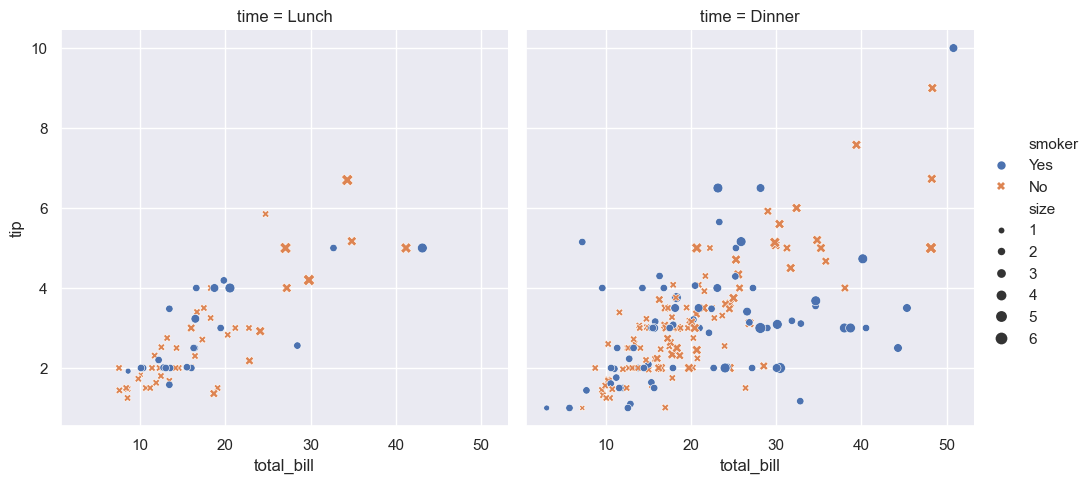
Import seaborn and set the default theme. Then plot the tips data, with X=total_bill
and Y=tip.
import seaborn as sns

sns.set_theme()

tips = sns.load_dataset("tips")

sns.relplot(
    data=tips,
    x="total_bill", y="tip", col="time",
    hue="smoker", style="smoker", size="size",
)
tips.head()

   total_bill   tip     sex smoker  day    time  size
0       16.99  1.01  Female     No  Sun  Dinner     2
1       10.34  1.66    Male     No  Sun  Dinner     3
2       21.01  3.50    Male     No  Sun  Dinner     3
3       23.68  3.31    Male     No  Sun  Dinner     2
4       24.59  3.61  Female     No  Sun  Dinner     4
Choosing a notebook system
There are two primary notebook systems the research community has rallied behind:
- RMarkdown / Quarto
- Jupyter
These are provided as an unordered list because there are pros and cons to each and each has advantages over the other based on your specific needs.
Jupyter
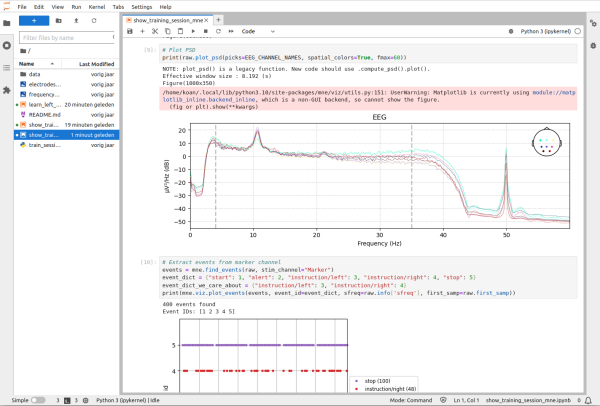
The name is a portmanteu of Julia, Python, R –the three languages it was originally built around. Notebooks are ubiquitous in data science and primarily used by non-biologists. JupyterLab is a web application that provides a streamlined, interactive way to work with code mixed with plots and markdown text. It’s native integration with Julia, Python, R give it first-class support in those three languages (and others!), and, contrary to Quarto/RMarkdown, all outputs, like plots and tables, are saved inside the file itself, which makes notebooks extremely portable and actual record-keepers. Jupyter notebooks have fantastic integration in VScode (and derivatives) if you’re disinterested in using JupyterLab. Because of the way code/markdown blocks (“cells” in Jupyter-speak), Jupyter notebooks have a well-flowing what-you-see-is-what-you-get workflow.
RMarkdown/Quarto
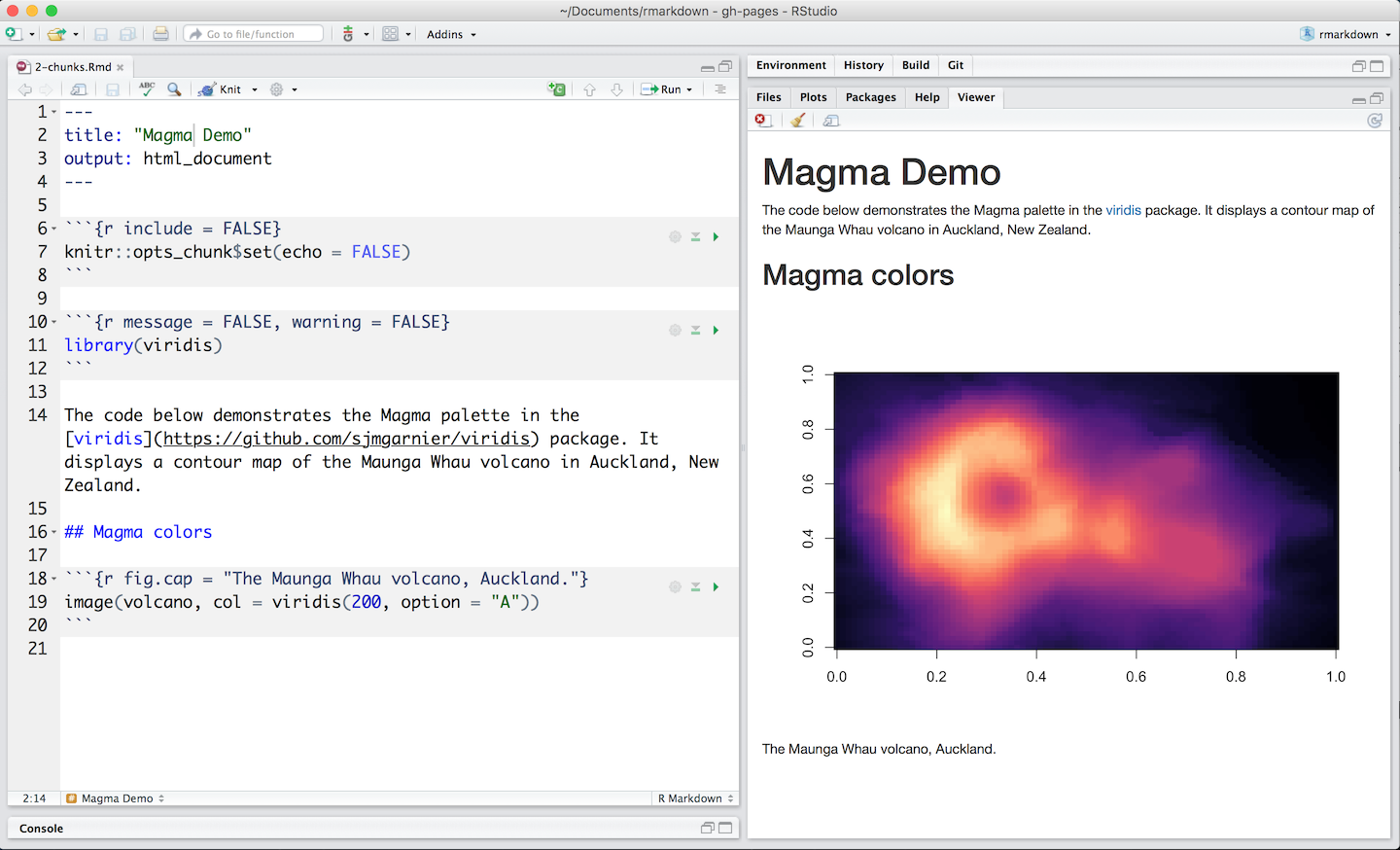
RMarkdown, as the name implies, is R + Markdown. It uses plain-text files with a special syntax to differentiate prose and executable code blocks (called “chunks” in Rmd-speak). The primary language it supports is R, with middling support for Python, and less so for Julia. RMarkdown integrates natively into RStudio1, plugging into all of RStudio’s bespoke features, along with enabling a Jupyter-like visual editor. If not using the visual editor, working with RMarkdown will primarily be a text-driven process, like the one shown below. RMarkdown is being deprecated in favor of Quarto, which has a mostly-similar syntax, but actually uses Jupyter kernels under the hood to enable greater non-R language support.
Comparison
| Feature | RMarkdown | Quarto | Jupyter |
|---|---|---|---|
| Languages | R, Python (somewhat) | R, Python, Julia | R, Python, Julia, others |
| File type | RMarkdown (.Rmd) | Rmarkdown (.qmd) | Ipython Notebook (.ipynb) |
| File format | plain-text markdown | plain-text markdown | plain-text JSON |
| Editors | RStudio, Positron, VSCode | RStudio, Positron, VSCode | JupyterLab, Positron, VScode |
| Saves output | No | No | Yes |
| Version Control | simple | simple | VScode: simple, JLab: challenging |